
- Flow
- Build momentum without pressure
- Product
- Education
Where it appears
Behavioural observations
What this screen may illustrate.
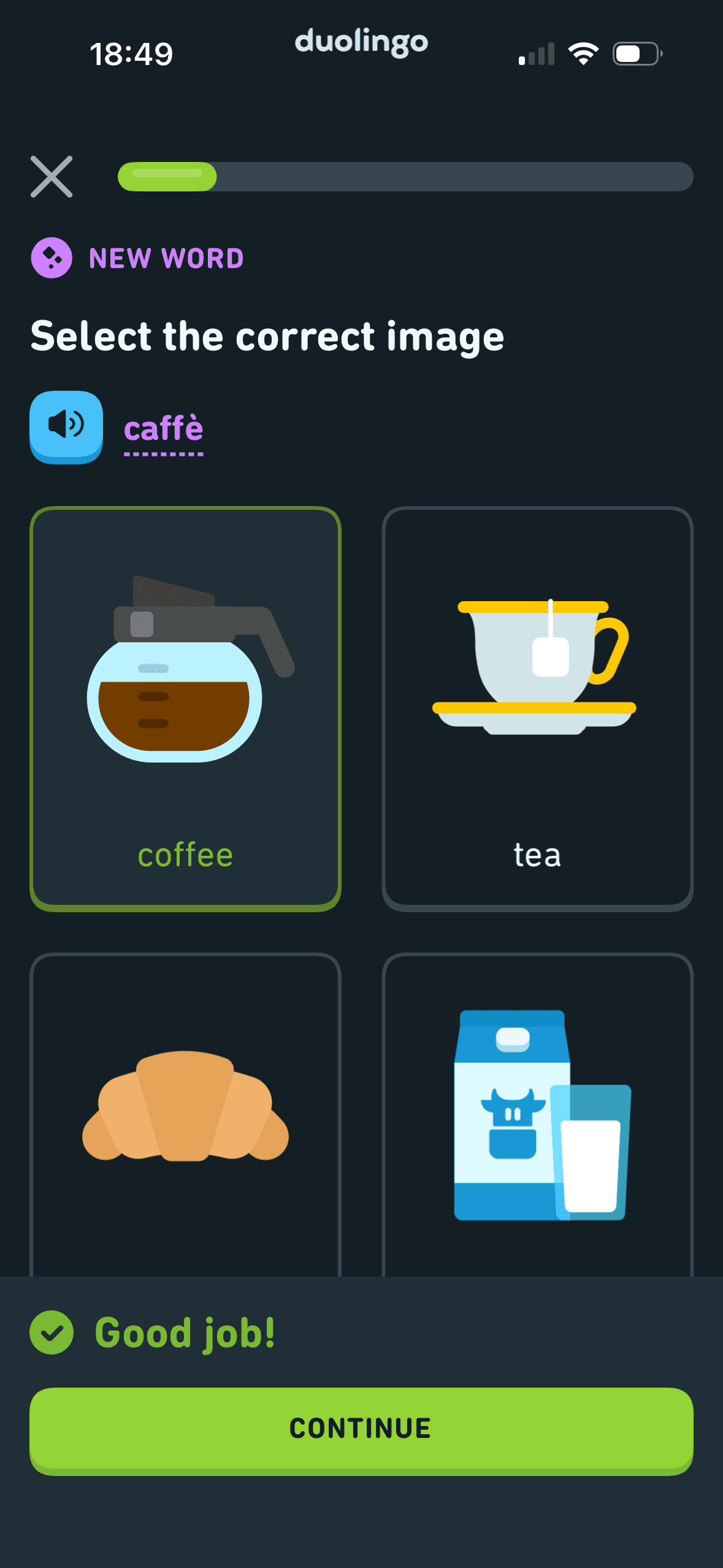
After a correct image choice, the selected answer remains visible and “Good job!” appears with Continue. This is observable outcome feedback; the screenshot does not show whether praise improves learning or engagement.
Continue is easy to find, but the feedback panel covers part of the lower answer cards. Keeping the choices visible would make it easier to compare them with the correct answer before moving on.
Each answer pairs an illustration with a word inside a separate card. The repeated layout breaks the exercise into distinct options that are easy to compare.
The green feedback panel draws attention to the result and the next action. A checkmark and ‘Good job!’ also communicate success without relying on colour alone.